Effortlessly build, manage, and scale courses with the Advanced LearnDash Course Builder, featuring powerful drag and drop tools. Designed by LearnDash Experts for WordPress, this AI powered solution is fully compatible with WooCommerce and allows you to LearnDash Clone Courses with ease.
The LearnDash Course Builder is a powerful WordPress plugin that streamlines course creation and management for LearnDash LMS platforms. This Course Builder for LearnDash offers drag and drop controls, centralized organization, and tools to LearnDash Clone Courses, enabling WordPress admins to manage lessons, topics, quizzes, and questions efficiently.
With a single interface to copy, move, rename, and reorder content, it also supports WooCommerce and AI powered workflow enhancements. Developed by LearnDash Experts, this plugin empowers Expert LearnDash Course Authors to save time, improve productivity, and deliver smarter, scalable LMS solutions.
LearnDash Course Builder Features
Explore powerful features designed to streamline your workflow and elevate your learning experience.
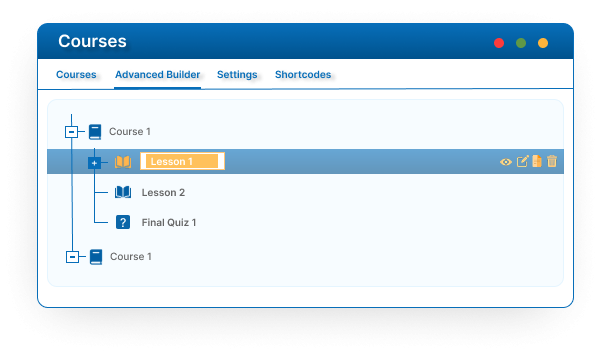
Manage your all learndash courses from a single centralize admin panel
Easily view and access all your courses in one place. Save time with a unified dashboard and use our tools to LearnDash Clone Courses without switching screens; our team of certified LearnDash Experts ensures every course is built and managed with precision and efficiency.
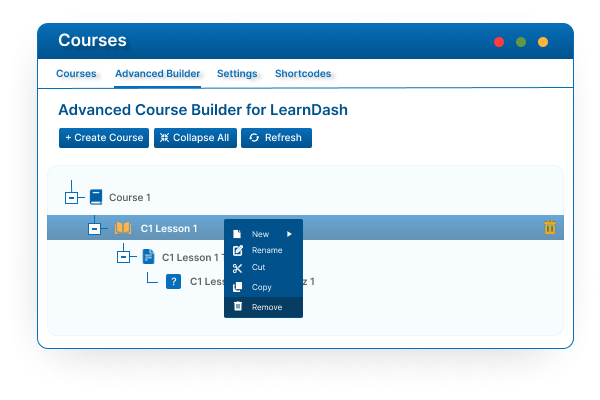
Add, rename, or modify course contents with ease
Quickly create or edit courses, lessons, and modules in real time. The Course Builder for LearnDash ensures smooth updates without deep menu navigation.
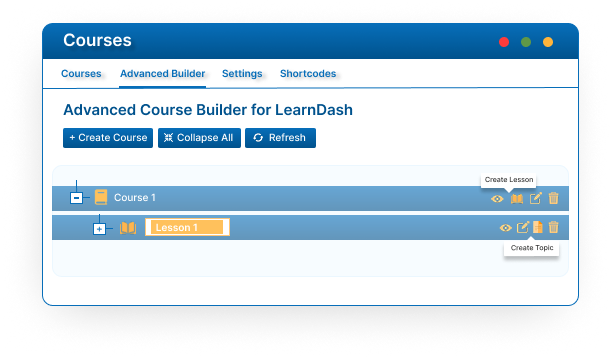
Add new lessons, topics, quizzes, and questions
eamlessly create structured course content with this Course Builder. Build your entire learning journey from a single, intuitive interface.
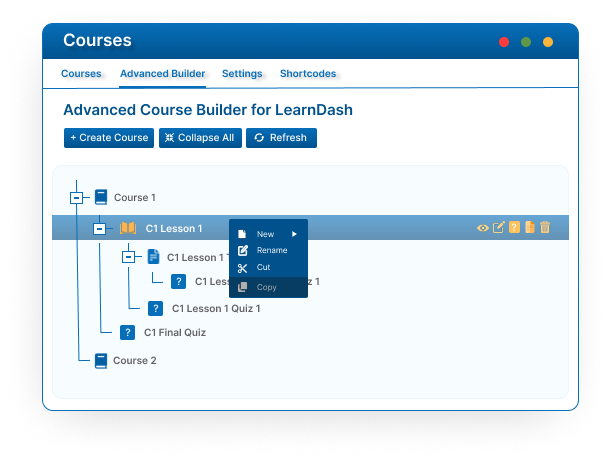
Copy or duplicate lessons, topics, quizzes, and questions — including child items
Effortlessly replicate entire course structures. Duplicate parent and child items in one click, ideal for admins needing to copy LearnDash courses efficiently.
Delete or remove content instantly when no longer needed
Advanced Course Builder for LearnDash allows you to remove outdated or unused lessons, topics, and quizzes quickly. Keep your LMS clean and organized without navigating away from the builder.
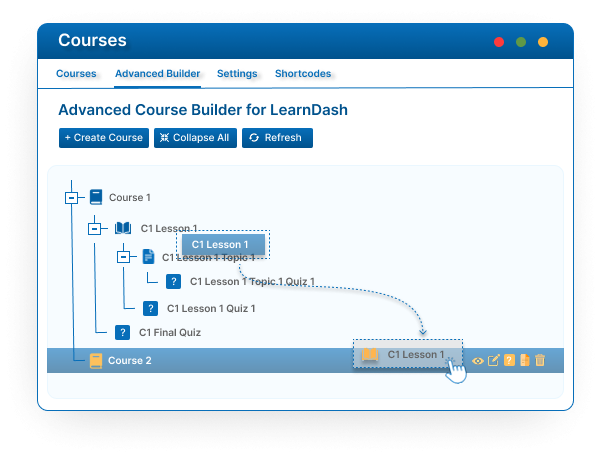
Move or reorder course content via drag-and-drop
Reorganize your LearnDash curriculum visually with the drag and drop interface of course builder for LearnDash. Easily move lessons, topics, and quizzes to match your desired course flow.
Grab the Plugin Today
Quick to install, easy to use — get started now.
Single Site License $49.99
License for 1 site
1 year technical support & updates
Full documentation
Support forum
10 Site License $89.99
License for 10 sites
1 year technical support & updates
Full documentation
Support forum
30 Site License $149.99
License for 30 sites
1 year technical support & updates
Full documentation
Support forum
Hassle-Free Trial Period
Get instant access with a 14-day free trial of the Advanced Course Builder. If it doesn’t simplify your WordPress course management, we’ll refund you no questions asked.
Watch a quick walkthrough of the Advanced Course Builder in action. See how easily you can manage, edit, and organize LearnDash content in real time.
Frequenty Asked Questions
Need Help? Start Here
Is the Advanced Course Builder compatible with the latest LearnDash and WordPress versions?
Yes, the Advanced Course Builder is fully compatible with the latest versions of both LearnDash and WordPress, ensuring smooth integration with your LMS environment.
Where can I find the Advanced Course Builder in my WordPress dashboard?
You can easily access the builder by navigating to Dashboard > LearnDash > Courses > Advanced Builder. It’s designed for a seamless WordPress admin experience.
Can I manage both existing and new LearnDash course content using this builder?
Absolutely! The builder automatically pulls all existing courses and their content from your database, giving you centralized control to manage, edit, or reorganize anything efficiently.
Can I use the default LearnDash course builder alongside this add-on?
Yes, the Advanced Course Builder works in harmony with the default builder. You can use either or both depending on your preference and workflow.
Does this builder also support quizzes and question management?
Yes! Unlike the default LearnDash builder, our plugin supports full management of quizzes and individual quiz questions, streamlining your course setup in WordPress.
Can I move lessons or topics between courses using the Advanced Course Builder?
Yes, you can simply drag and drop content like lessons, topics, or quizzes between courses—perfect for restructuring or reorganizing content with ease.
Can I copy complete course structures using this add-on?
Definitely. The builder allows you to duplicate entire course hierarchies (including sub-items), making it ideal for scaling and reusing structured content.
Lets Work Together
Let’s Talk About Your Project Needs
Contact us now and share your vision, we are Listening