

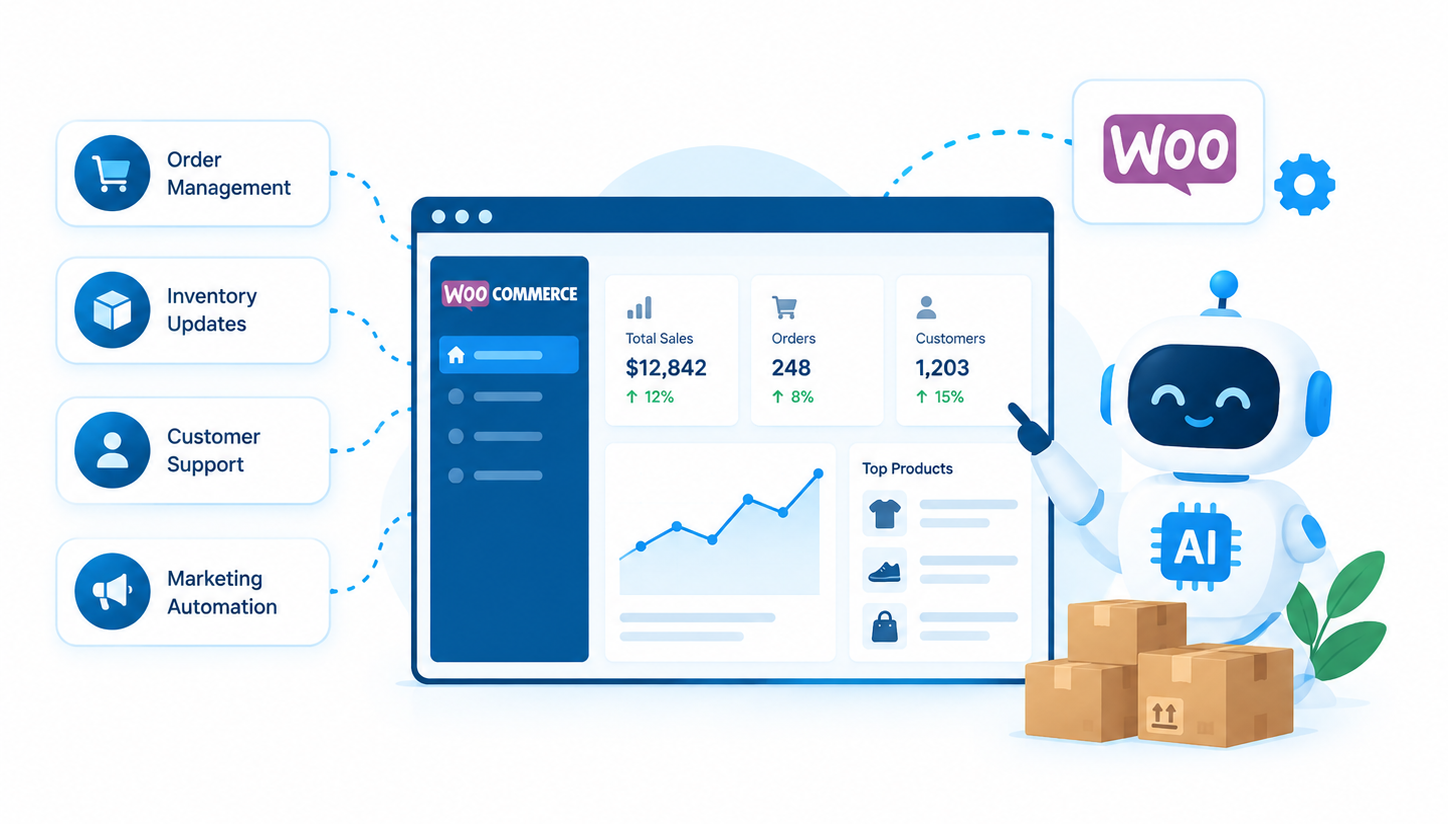
AI for WooCommerce store management is becoming more practical, helping store owners reduce repetitive work across product catalogs, inventory checks, order management, and reporting. Instead of using AI only to generate content, merchants can connect AI assistants to store data and supported operations. The right setup depends on your existing WooCommerce workflows, integrations, and the level of control you want to retain.
Many store teams still spend hours checking order statuses, correcting product information, reviewing stock levels, and preparing reports. These tasks may seem small individually, but they create a significant operational burden as a store grows.
In this guide, we’ll explain which tasks AI can help automate, how AI agents work with WooCommerce, which tools are worth evaluating, and where human approval remains important. You’ll also learn how WooCommerce MCP and the WordPress Abilities API fit into these workflows.
Quick Answer
AI can help automate WooCommerce store management tasks such as product catalog enrichment, inventory monitoring, order lookups, reporting, and routine product updates. Connected AI agents can retrieve store information and perform supported actions, but the available capabilities depend on the tools, permissions, and integrations configured.
[Image placement: Minimal workflow illustration showing an AI assistant connected to WooCommerce for product, order, inventory, and reporting tasks. Use a white background with WP Centric brand colors.]
What WooCommerce Store Management Tasks Can AI Automate?
AI is most useful when it addresses a specific operational problem rather than being added to a store simply because it is available. Before choosing a tool, identify which tasks consume the most staff time and whether they follow predictable rules.
1. Automated Product Catalog Enrichment for WooCommerce
Product catalog management becomes time consuming when a store has hundreds or thousands of products. Product descriptions may be incomplete, attributes may be missing, and naming conventions may vary between product categories.
AI can help improve product catalogs by:
- Drafting product descriptions from verified specifications
- Suggesting product attributes, categories, and tags
- Identifying missing or inconsistent information
- Standardizing product titles and descriptions across a catalog
However, AI generated product information should not automatically be treated as accurate. Product dimensions, materials, compatibility, warranties, and technical specifications should come from verified product data rather than assumptions made by a language model.
For larger catalogs, the practical workflow is to generate or enrich product information in batches, validate the results, and then update WooCommerce through an approved import process, integration, or connected tool.
This is where AI product management can reduce repetitive work without removing editorial control.
2. AI Inventory Management for WooCommerce
Inventory errors can lead to overselling, missed sales, and unnecessary manual checks. AI can help analyze historical sales, identify unusual demand patterns, and flag products that may need attention.
Real time inventory synchronization, however, is primarily a data integration task. If your WooCommerce store sells through multiple channels or uses an ERP or warehouse management system, the connected systems must exchange accurate stock updates before AI can make reliable recommendations.
An AI assisted inventory workflow could:
- Flag products that fall below a defined stock threshold
- Identify unusual changes in sales or stock levels
- Notify staff when replenishment may be needed
- Prepare recommendations using available sales and inventory data
AI predictions should support inventory decisions rather than replace them entirely. Seasonal demand, supplier delays, returns, and inaccurate stock records can all affect the results.
3. WooCommerce Order Processing
Order processing includes several separate activities, from identifying new orders to updating statuses, checking payment information, and coordinating fulfillment. Some of these tasks are suitable for rule based automation, while others may benefit from AI assisted analysis.
With the right integration and permissions, an AI assistant could help staff:
- Find orders by status or other supported criteria
- Summarize orders that require attention
- Identify exceptions for manual review
- Trigger authorized workflow actions where supported
A workflow can then route eligible orders to the appropriate fulfillment process, send notifications, or flag exceptions. Payment verification, fraud review, and fulfillment decisions should still follow the store’s established rules and safeguards.
The important distinction is that AI can help interpret requests and identify the next step, while WooCommerce integrations and automation rules carry out the supported operations.
For stores that need a tailored workflow, WP Centric’s WooCommerce development services can support custom functionality and third party integrations.
4. WooCommerce AI Customer Support
Customer support teams repeatedly answer questions about shipping, product specifications, order progress, returns, and store policies. An AI support assistant can help handle common questions when it has access to accurate product information and approved support content.
A connected AI support assistant can help with:
- Answering questions about published store policies
- Explaining product features using verified information
- Retrieving order statuses through an authorized integration
- Escalating unusual delivery or payment issues to a human agent
AI customer support should not invent delivery estimates, promise refunds without authorization, or expose personal order information to an unverified visitor. The assistant must distinguish general product questions from requests that require customer authentication.
The objective is to resolve straightforward questions faster while giving customers a clear route to human assistance when needed.
5. Product Updates and Routine Store Administration
Store managers often need to make repetitive changes to product descriptions, categories, tags, attributes, or other product fields. AI can help prepare these changes and, when connected to supported store capabilities, apply authorized updates.
Consider a merchant who wants to standardize product titles across a collection. AI can identify inconsistent naming patterns and propose revised titles, while a review step checks that important product details remain intact.
For bulk updates, establish a clear scope before allowing changes. Test a small batch, keep a record of the original values, and verify the results before applying the same process to the entire catalog.
Stores with unusual pricing rules, custom product fields, or complex workflows may need additional development rather than a generic AI plugin. WP Centric’s WooCommerce customization services can be relevant when existing tools do not support the required workflow.
6. Store Reporting and Operational Insights
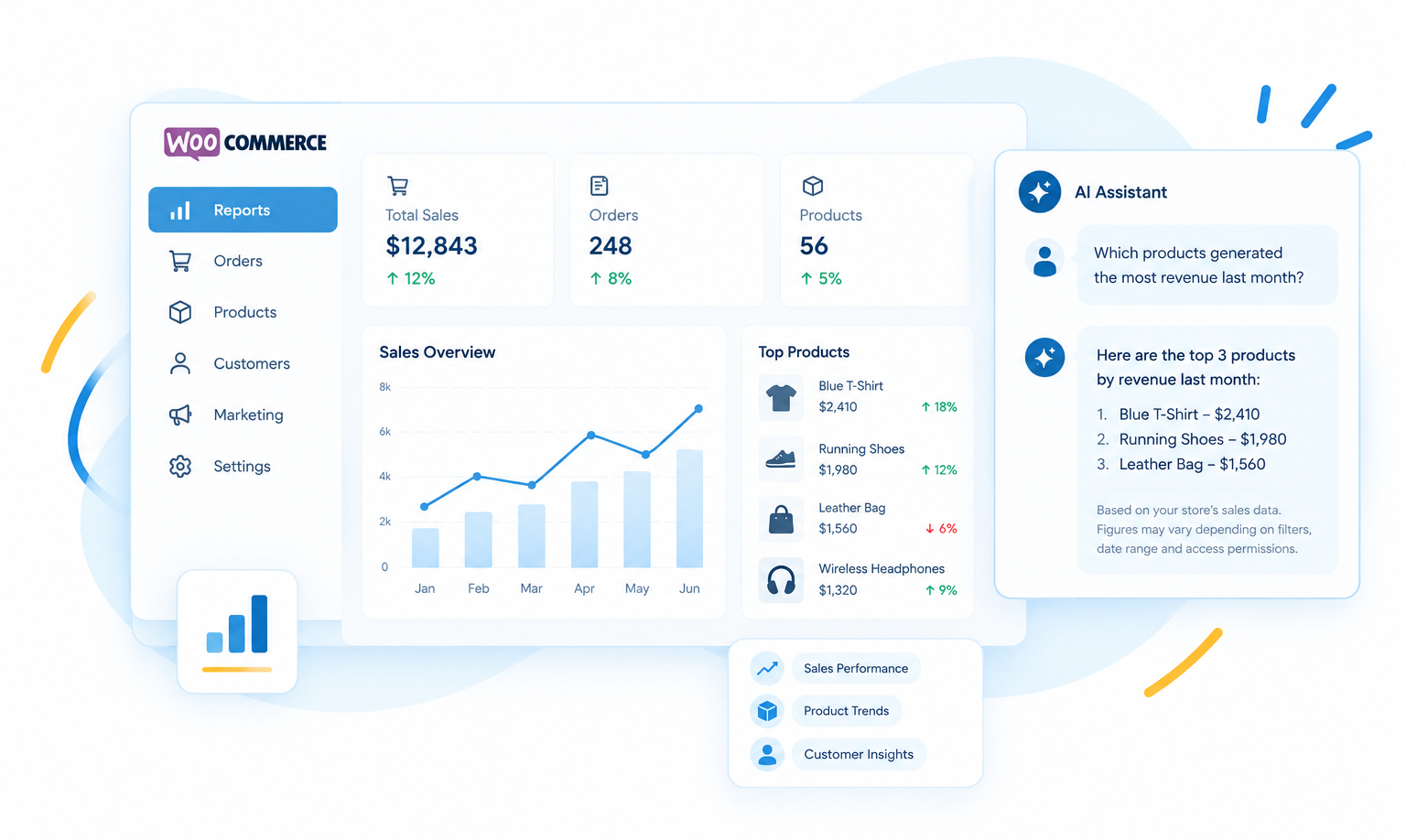
WooCommerce reports can show sales, orders, and product performance, but extracting useful insights may require time and familiarity with the data. An AI assistant connected to suitable reporting tools can help summarize results and answer questions in natural language.
A store manager might ask, “Which products generated the most revenue last month?” or “Which products have declining sales compared with the previous period?”
The quality of the answer depends on the data available, the definitions used, and the permissions granted to the assistant. Sales revenue, profit, inventory value, and order totals are different metrics, so the workflow must use the correct source and calculation.
AI generated summaries can speed up analysis, but important financial or purchasing decisions should be checked against the underlying reports.
How to Manage WooCommerce With AI Agents
An AI agent can do more than generate text. When connected to suitable tools, it can interpret a request, retrieve relevant information, and execute supported operations within its permissions.
For WooCommerce, this could mean asking an assistant to find products with missing descriptions, retrieve a set of orders, or prepare a report. Whether it can also update products or order statuses depends on the capabilities exposed by the connection.
A typical workflow looks like this:
Natural-language request → AI agent → connected WooCommerce capability → result or authorized action → verification
Consider a store manager who asks an AI agent to find products with incomplete descriptions. The agent can:
- Retrieve available product data.
- Identify products that match the request.
- Return a list for review.
- Draft missing descriptions if the connected tools support that task.
The next step could be drafting missing descriptions. Publishing those descriptions should be a separate, permission controlled action rather than an automatic consequence of the initial request.
This distinction matters because an AI agent is not inherently reliable simply because it can interact with a store. Clear instructions, validated data, limited permissions, and appropriate review steps determine whether the workflow is useful.
What Are Agentic Commerce Workflows?
Agentic commerce workflows use AI agents to coordinate tasks across connected commerce systems. Instead of responding to a single question, an agent may carry out several supported steps toward a defined outcome.
For example, a stock monitoring workflow could retrieve inventory levels, compare them against predefined thresholds, review available sales information, and prepare a replenishment report. If purchasing is involved, the system can request approval before creating a purchase order or committing funds.
The workflow depends on integrations, business rules, and available tools. It should not be assumed that an AI agent can independently access every WooCommerce feature or coordinate every external system.
For most businesses, the sensible starting point is a narrow workflow with measurable results. Once the process is reliable, additional actions can be introduced and tested.
How WooCommerce MCP Connects AI to Store Operations
The Model Context Protocol (MCP) is an open standard that allows compatible AI applications to connect to external systems through a common interface. WooCommerce has introduced native MCP support so compatible AI clients can discover and use supported store operations.
Currently in developer preview, WooCommerce MCP supports operations such as:
- Product management: Query, create, update, and delete products.
- Order management: Query orders, update order statuses, and add order notes.
These operations follow WooCommerce’s permission checks, and access requires appropriate authentication. Third party connectors may offer additional operations or different setup options.
For a new implementation, consult the current WooCommerce MCP setup documentation rather than copying older endpoint instructions from an unrelated tutorial. WooCommerce’s documentation identifies the legacy WooCommerce specific MCP endpoint as deprecated in favor of the shared WordPress MCP Adapter endpoint.
Where the WordPress Abilities API Fits
The WordPress Abilities API provides a standardized way for WordPress components to register capabilities that other systems can discover and execute. In WooCommerce, these abilities can include querying products or updating order statuses.
MCP lets compatible AI clients discover and call these tools, while the Abilities API defines available capabilities. WooCommerce executes actions with permission checks, helping prevent unrestricted store access. This architecture connects WooCommerce operations to AI through the WordPress MCP Adapter and its MCP integration.
Stores with custom order states, product data, or fulfillment processes may need additional abilities or integrations. WP Centric’s WordPress plugin development services can help build functionality beyond existing extensions.
Best AI Tools for Ecommerce Operational Tasks
There is no single best AI tool for every WooCommerce store. Some tools help generate product content or answer customer questions, while others connect an AI assistant to store data or provide recommendations on the storefront.
The options below serve different purposes, so compare them against the task you want to solve rather than installing all of them.
1. ChatGPT
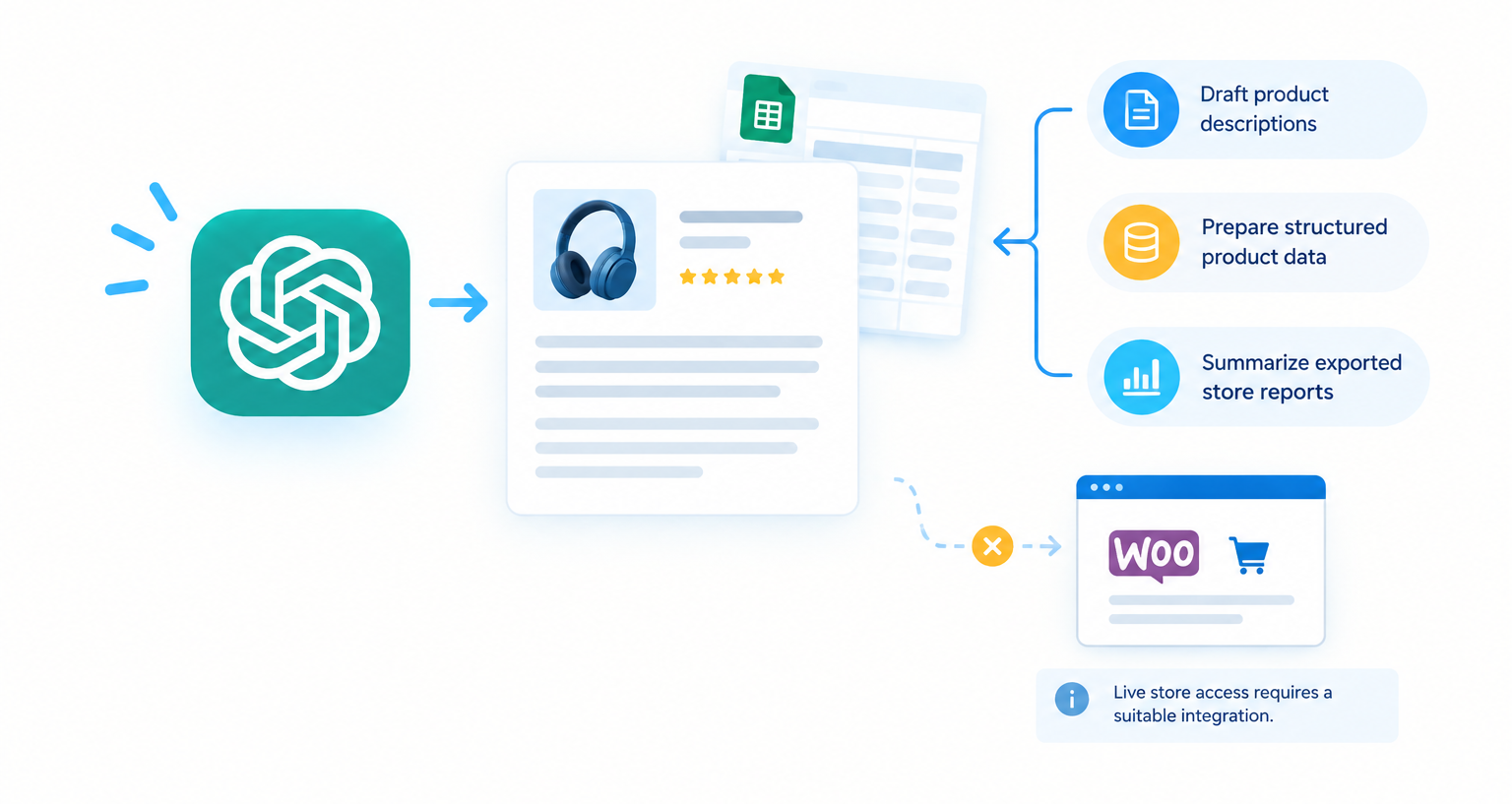
ChatGPT can help draft product descriptions, classify product information, analyze exported reports, and create repeatable procedures for store operations. For example, a store owner could provide a spreadsheet of verified product details and ask for consistent, structured descriptions.
Using ChatGPT by itself does not automatically connect it to a live WooCommerce store. Live product or order access requires a suitable integration, connector, or custom implementation, and available functionality depends on that connection.
Useful for:
- Drafting product descriptions
- Preparing structured product data
- Summarizing exported store reports
Live store access requires a suitable integration.
2. MCP for WooCommerce by W7S
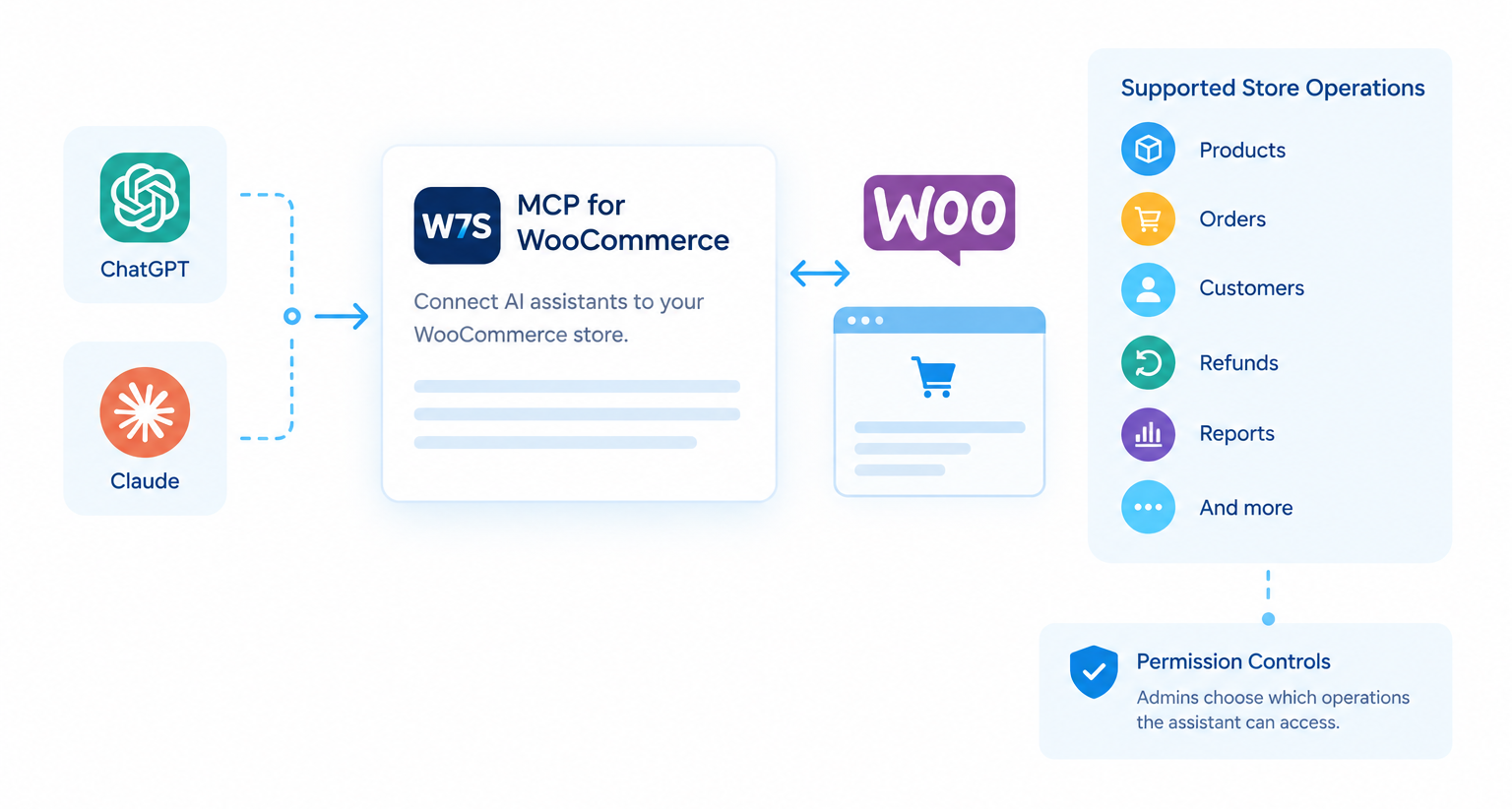
MCP for WooCommerce is a third party WooCommerce extension designed to connect compatible AI assistants, including ChatGPT and Claude, to store operations. Depending on the configured tools, permissions, and extensions, it can support tasks involving products, orders, customers, refunds, reports, and other store functions.
The extension provides connection and permission controls, allowing administrators to decide which groups of operations an assistant can access. That makes it a more direct option for merchants who want to explore natural language interaction with live store data.
Before installing it, check the current compatibility requirements, the AI client’s connection requirements, and which operations are enabled by default. Sensitive actions should be tested carefully, especially if the connection can modify or delete records.
Useful for:
- Connecting compatible AI clients to supported store operations
- Retrieving live store information
- Performing authorized actions through configured tools
Check the current endpoint, compatibility, and permission requirements before installation.
3. AI Product Recommendations for WooCommerce
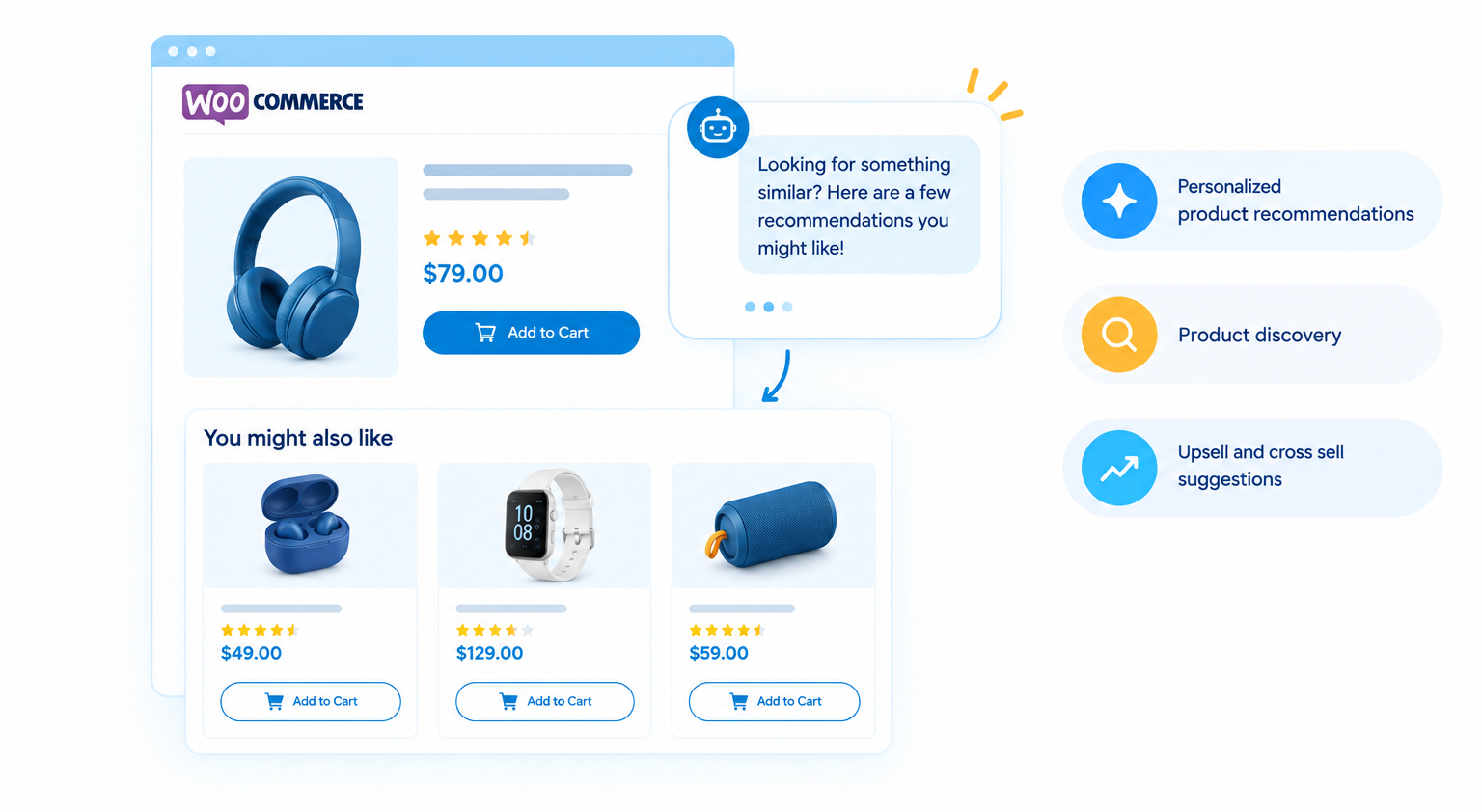
The AI Product Recommendations extension focuses on the customer facing shopping experience rather than general backend administration. Its documented features include personalized product recommendations, an AI shopping assistant, and upsell and cross sell suggestions.
This can help shoppers discover relevant products and get answers to product questions on supported storefront pages. It is not a replacement for a complete inventory, order processing, or ERP automation system.
Evaluate how recommendations are generated, what product information the assistant can access, and how the extension fits your theme and existing plugins. Monitor the results to ensure the suggestions remain relevant to your catalog.
Useful for:
- Personalized product recommendations
- Product discovery
- Upsell and cross sell suggestions
Which tool should you choose?
| Your requirement | Starting point |
|---|---|
| Draft and standardize product descriptions | ChatGPT with verified product data |
| Ask questions about live store data | A compatible WooCommerce MCP connector |
| Update products or orders through AI | A connector with the required write capabilities and permissions |
| Offer AI guided product discovery | AI Product Recommendations |
| Synchronize stock across sales channels | An inventory or ERP integration, potentially enhanced with AI |
| Automate a store specific business process | Existing workflow tools or custom WooCommerce development |
These are starting points, not interchangeable solutions. A content assistant will not necessarily update live products, and an MCP connection will not automatically synchronize inventory across external systems.
How to Start Automating WooCommerce Store Management
The most effective approach is to begin with one recurring problem and expand only after the results have been verified.
Step 1: Identify the time consuming task. Choose something measurable, such as cleaning product descriptions, preparing a daily order summary, or flagging low stock items.
Step 2: Check the data and integration requirements. Confirm where the information lives, whether it is accurate, and which tool can access it. If multiple systems are involved, establish which system is the source of truth.
Step 3: Start with read-only access where possible. Let the assistant retrieve information or prepare recommendations before allowing it to make changes. This is especially useful when testing a new connector.
Step 4: Add controlled actions. Once the results are reliable, enable only the necessary write operations. Test on a staging site or a small set of records before using the workflow on a live store.
Step 5: Measure the outcome. Track time saved, error rates, processing delays, and the amount of manual correction still required. If the workflow does not improve the process, revise it rather than adding more AI features.
Stores with complex workflows may benefit from WooCommerce customization or a custom WordPress plugin that connects the required systems and adds business specific safeguards.
What Should You Keep Under Human Control?
AI automation should reduce unnecessary manual work without removing accountability for important business decisions. The level of oversight should depend on the potential impact of an incorrect action.
| Operation | Recommended approach |
|---|---|
| Drafting product descriptions | AI draft with factual review |
| Finding incomplete product records | Automated identification with review |
| Checking order status | Automated lookup with appropriate access controls |
| Updating routine product fields | Limited permissions, testing, and change logs |
| Inventory replenishment | AI assisted recommendations with purchasing rules |
| Refunds and payment adjustments | Explicit authorization and exception handling |
| Deleting products or customer records | Restricted access and confirmation |
| Bulk changes to pricing | Validation, approval, and a recovery plan |
Security also matters when connecting an AI client to live store data. Use HTTPS, dedicated accounts or credentials, the minimum permissions required, and a process for revoking access when it is no longer needed.
Order and customer data can contain personally identifiable information. Limit what the assistant can retrieve, review how data is processed, and apply your organization’s privacy and retention requirements.
For additional technical guidance, refer to the WooCommerce MCP security documentation.
Frequently Asked Questions
Can AI manage a WooCommerce store?
AI can help manage parts of a WooCommerce store, including product content, order lookups, reporting, customer support, and selected product or order updates. The available actions depend on the connected tools, store permissions, and integrations. Human review remains important for sensitive or high impact decisions.
How can I automate WooCommerce store management?
Start by identifying a repetitive task, such as product data cleanup or daily order reporting. Choose a tool that can access the required data, define the workflow and permissions, test it on a small scale, and measure the results before expanding automation.
Can AI automate WooCommerce order processing?
AI can assist with order lookups, summaries, exception identification, and some authorized order updates. Full order processing usually requires additional rules and integrations for payments, fulfillment, shipping, and notifications. The workflow should be tested to ensure it handles exceptions safely.
What is AI inventory management for WooCommerce?
AI inventory management uses store data and, where appropriate, sales patterns to help identify low-stock products, unusual demand, and replenishment needs. Accurate inventory synchronization still depends on reliable connections between WooCommerce and the systems that manage stock.
What is WooCommerce MCP?
WooCommerce MCP is an integration approach based on the Model Context Protocol that allows compatible AI clients to discover and use supported WooCommerce operations. The available operations depend on the implementation, authentication, and permissions. WooCommerce’s native MCP implementation is documented as being in developer preview.
Do I need a ChatGPT plugin to use AI with WooCommerce?
Not always. You can use ChatGPT to prepare product content or analyze exported data without connecting it to your store. To retrieve live data or perform store actions, you need a compatible connector, integration, or custom implementation that exposes the required capabilities.
Is it safe to let AI update WooCommerce products and orders?
It can be appropriate when access is limited, actions are validated, and changes are logged and tested. Begin with read only access where practical, then enable only the required write permissions. Sensitive operations should have explicit approval and a recovery process.
Key Takeaways
- AI can reduce repetitive WooCommerce work across product catalogs, order lookups, customer support, inventory monitoring, and reporting.
- AI-generated information should be checked against verified product and store data.
- AI agents can retrieve information and perform supported actions when connected to the right tools and permissions.
- WooCommerce MCP and the WordPress Abilities API provide an emerging technical foundation for connected AI workflows.
- Start with one measurable task, test carefully, and keep appropriate human oversight for high impact operations.
Conclusion
AI for WooCommerce store management is most valuable when it solves a specific operational problem. A well designed workflow can help your team spend less time on repetitive tasks and more time improving products, customer experience, and business performance.
The best starting point is not to automate everything. Identify the task that creates the most friction, verify that the necessary data and integrations are available, and introduce AI in a controlled way.
Want to Make Your
WooCommerce Workflows More Efficient?
WP Centric can help you evaluate integration requirements, improve existing workflows, and determine whether an existing tool or a custom solution is the right fit.