

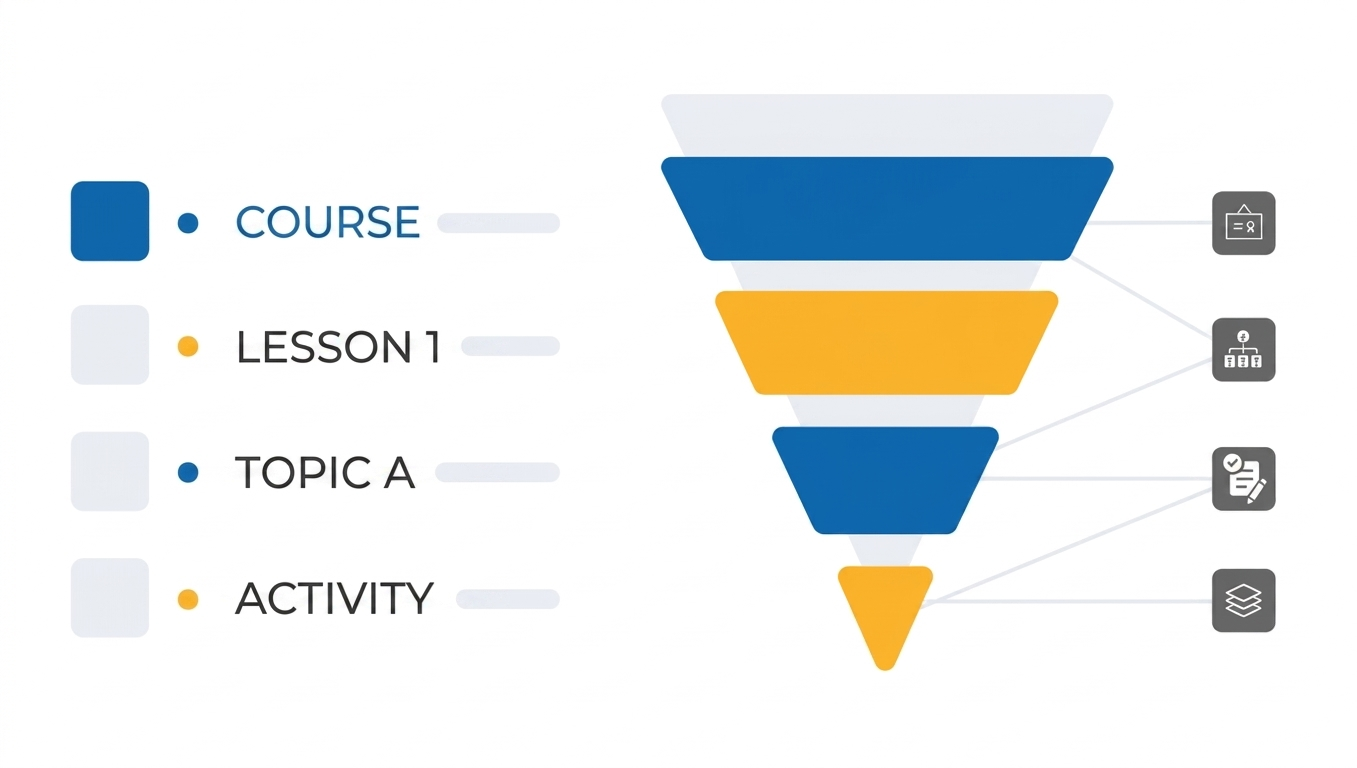
Managing large LearnDash training libraries becomes overwhelming as your LMS grows. What starts as a simple course setup often expands into hundreds of lessons, topics, and quizzes spread across multiple learning paths. At that stage, LearnDash course management is no longer just a routine task, it becomes the backbone of your entire eLearning operation.
The problem is that WordPress and LearnDash were originally designed for smaller setups. Once your library scales, the interface starts to feel slow, fragmented, and overly dependent on constant navigation between screens.
The real solution is not working harder it’s shifting toward a centralized, visual workflow that simplifies how courses are structured, edited, and scaled.
According to the official LearnDash documentation, course structures built using lessons and topics follow a hierarchical model.
The Hidden Challenges of Managing Large LearnDash Libraries
When your LMS grows, small inefficiencies start turning into daily frustrations. Most administrators don’t notice them until the system becomes too large to manage comfortably.
Constant Navigation Between Screens
One of the biggest issues in LearnDash course management is the constant switching between courses, lessons, topics, and quizzes. Even simple edits require multiple clicks and page loads, which interrupts workflow and reduces productivity.
Workflow Lag and Repetitive Reloads
Bulk edits or structural updates often involve waiting for backend pages to reload repeatedly. This slows down even basic administrative tasks like updating lesson sequences or adjusting quizzes.
Losing the Big Picture of Your LMS
As content scales, it becomes harder to visually understand your full curriculum structure. Without a centralized view, inconsistencies begin to appear across different courses, especially in large training libraries.
Why Traditional LearnDash Course Management Breaks at Scale
At a small level, LearnDash works perfectly fine. But at scale, limitations become obvious.
The real issue is not functionality it is lack of centralized control.
When you manage 5–10 courses, the default interface is manageable. But when you reach 50, 100, or more, you start facing:
- Fragmented course organization
- Difficulty tracking content relationships
- Time consuming manual edits
- Repeated administrative actions
This is where structured LearnDash course management becomes critical for long term stability.
Streamlining Course Architecture with Centralized Control
A Single Workspace for Everything
To properly manage multiple LearnDash courses efficiently, you need a centralized admin panel that removes dependency on scattered backend screens.
Instead of jumping between pages, everything should be visible in one workspace including courses, lessons, quizzes, and structure.
How Advanced Course Builder Changes the Workflow
This is exactly where tools like Advanced Course Builder for LearnDash transform the experience.
It replaces fragmented editing with a unified visual interface where you can:
- View your full course structures on one single canvas.
- Create lesson, topic, and quiz names inline without switching pages or waiting for reloads.
- Adjust course hierarchy in real time
This creates a true “command center” for LearnDash LMS management.
Reorganizing LearnDash Courses Without Technical Friction
Restructuring courses is one of the most frustrating parts of LMS management. Whether you are fixing outdated content or redesigning a full curriculum, the default process is slow and technical.
The Real Problem With Manual Restructuring
In standard LearnDash setup, moving content means:
- Changing parent course relationships
- Opening multiple settings screens
- Rechecking course dependencies manually
This becomes especially painful in large scale LMS environments.
Visual Drag and Drop Course Reorganization
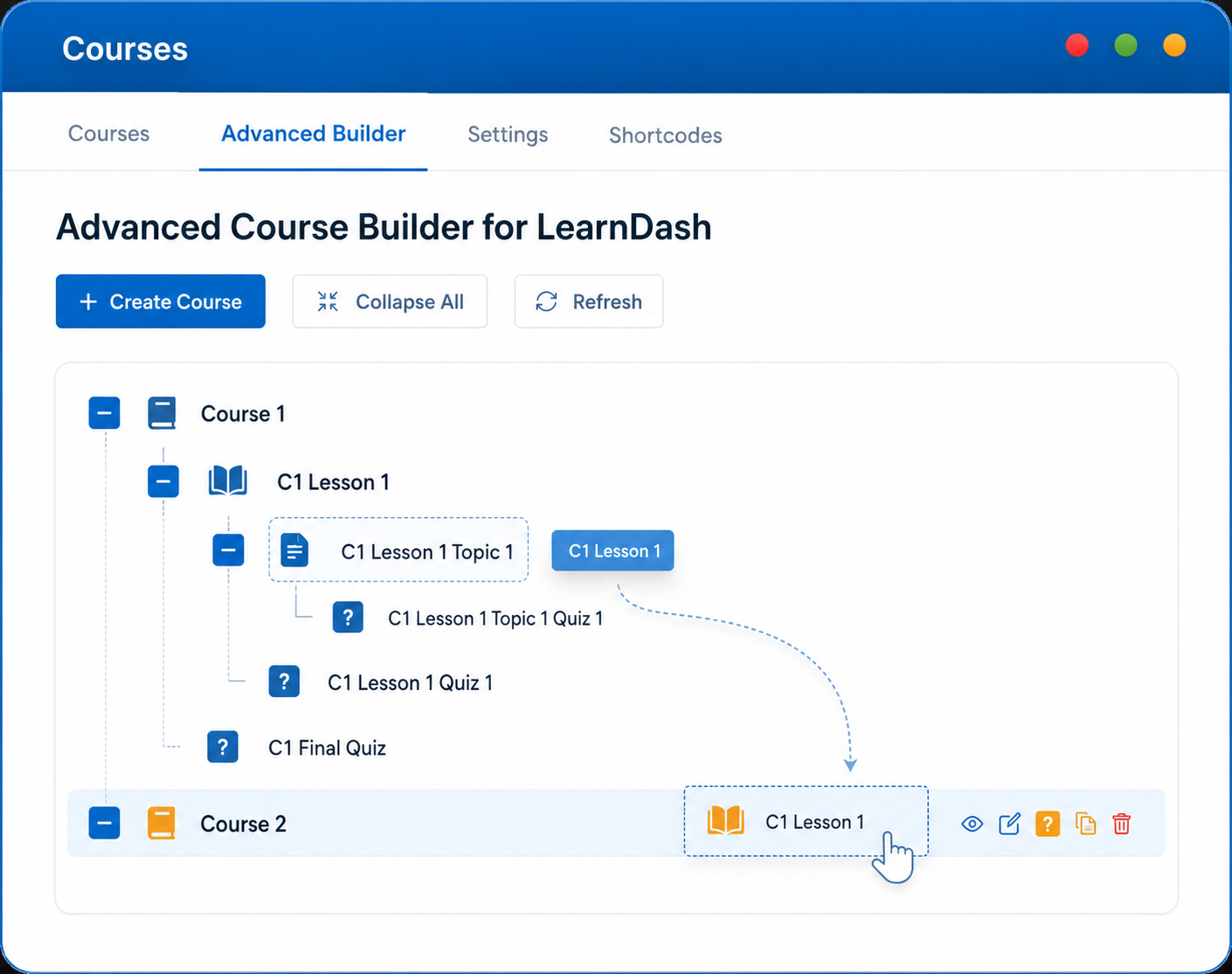
With the real time editor experience provided by the Advanced Course Builder for LearnDash, restructuring becomes purely visual. In the blink of an eye, you can:
- Move lessons between courses instantly
- Reorganize topics with drag and drop
- Adjust quizzes without opening multiple pages
This approach removes the complexity of structural changes and makes reorganize LearnDash curriculum fast a real workflow instead of a struggle.
Scaling Training Libraries with Smart Duplication
Large LMS platforms rarely build everything from scratch. Instead, they reuse course structures across departments, clients, or yearly training cycles.
Why Manual Duplication Slows Teams Down
Without automation, teams often rebuild similar course structures again and again. This leads to:
- Repetitive work
- Inconsistent structures
- Time wasted on setup instead of content
One Click Course Hierarchy Duplication
Modern LearnDash bulk course creation tools solve this by allowing full structure duplication.
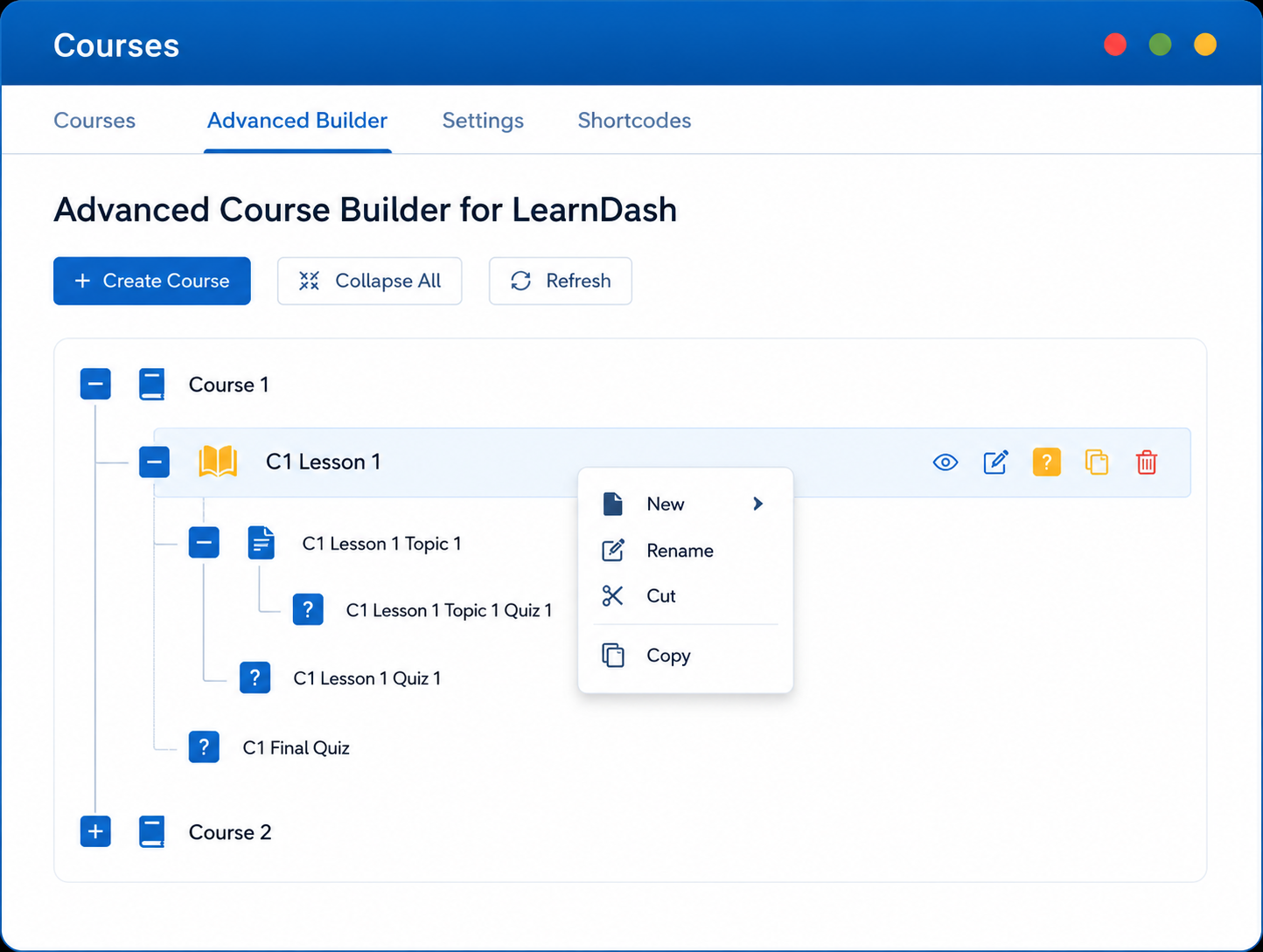
With Advanced Course Builder for LearnDash, you can:
- Duplicate entire LearnDash course hierarchies
- Copy lessons, topics, and quizzes together
- Reuse structures as templates for new programs
This makes how to copy LearnDash courses with child items a seamless process instead of a manual rebuild.
Managing Quizzes Without Backend Slowdowns
Quizzes are often the most time consuming part of LearnDash course management, especially when question banks become large.
Why Quiz Editing Feels Slow in LearnDash
Traditional quiz editing requires:
- Opening separate quiz screens
- Loading individual question pages
- Switching between multiple tabs
This slows down even small updates.
Centralized Quiz and Question Editing
A modern LearnDash drag and drop quiz question builder changes this entirely.
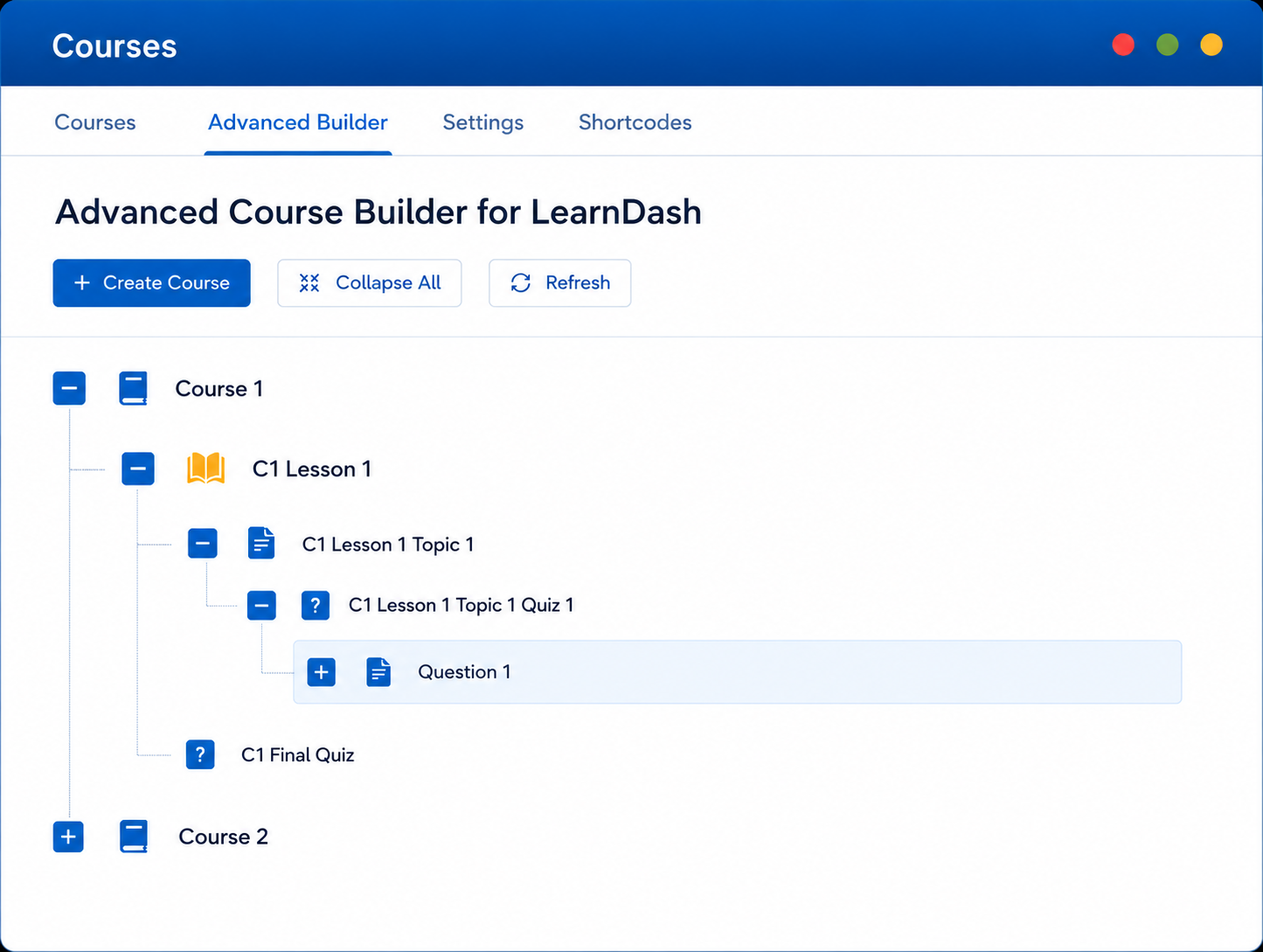
Inside a unified interface, administrators can:
- Edit questions without page reloads
- Adjust quiz structure instantly
- Manage assessments alongside course content
This significantly reduces friction in LearnDash edit quizzes from centralized panel workflows.
Building a Scalable LearnDash LMS Without Administrative Chaos
Once your LMS grows beyond a certain point, success is no longer about adding more content, it is about controlling what you already have.
A scalable system requires:
- Consistent course architecture
- Centralized editing workflows
- Fast restructuring tools
- Reduced dependency on backend navigation
Studies from EDUCAUSE show that structured digital learning environments improve LMS efficiency. Without these, even well designed LMS platforms eventually become difficult to maintain.
A Smarter Way to Handle LearnDash Course Management
Managing large LearnDash training libraries is not about working longer hours, it’s about removing unnecessary friction from your daily workflow.
When LearnDash course management is centralized, visual, and efficient, everything changes: updates become faster, course structures stay consistent, and scaling becomes predictable instead of stressful.
If your LMS is starting to feel difficult to manage, the problem is not your content, it’s your workflow.
Tired of clicking through endless WordPress tabs to manage your LMS? Streamline your workflow and save hours of development time. Check out the Advanced Course Builder for LearnDash today.